CJ Retail Solutions Sidekick0.3.800
Publisher Description
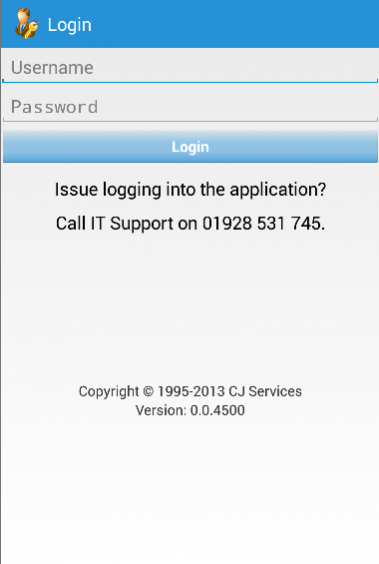
Updating this application may result in the loss of data if you have not uploaded your jobs. Disable auto-update for this application in the Play Store and update manually when you receive notification. Upload jobs regularly throughout the day.
CJ Retail Services are the industry recognised in-store experts in providing Brand Presence Solutions maximising every opportunity to bring Brands, Retailers and Consumers together. Our integrated solution offers POP installation and maintenance and a comprehensive field marketing service supported by distribution and logistics, pioneering technology and reporting systems and, of increasing importance, environmental management of POP materials pre- and post-campaign.
Point of Purchase Installation and Display Maintenance, Field Marketing - Merchandising, Retail Audits, NPD launch support, Team Training, Mystery Shopping, In-store Insight, Logistics and Distribution
About CJ Retail Solutions Sidekick
The company that develops CJ Retail Solutions Sidekick is CJ Retail Solutions. The latest version released by its developer is 0.3.800.
To install CJ Retail Solutions Sidekick on your Android device, just click the green Continue To App button above to start the installation process. The app is listed on our website since 2018-01-21 and was downloaded 10 times. We have already checked if the download link is safe, however for your own protection we recommend that you scan the downloaded app with your antivirus. Your antivirus may detect the CJ Retail Solutions Sidekick as malware as malware if the download link to cjsnova.pda.sidekick is broken.
How to install CJ Retail Solutions Sidekick on your Android device:
- Click on the Continue To App button on our website. This will redirect you to Google Play.
- Once the CJ Retail Solutions Sidekick is shown in the Google Play listing of your Android device, you can start its download and installation. Tap on the Install button located below the search bar and to the right of the app icon.
- A pop-up window with the permissions required by CJ Retail Solutions Sidekick will be shown. Click on Accept to continue the process.
- CJ Retail Solutions Sidekick will be downloaded onto your device, displaying a progress. Once the download completes, the installation will start and you'll get a notification after the installation is finished.
Program Details
System requirements
Download information
Pricing
Version History
version 0.3.800
posted on 2018-01-21
Before updating your application, please ensure you've uploaded all of your visit data as the update will clear all of the saved application data!!
* Signature task stability improved and appearance synced with iOS version
* Large drop down navigation improved
* Reduced payload when syncing data
* New data sync end points
version 0.3.200
posted on 2015-04-17
* Improved performance, user navigation and bug fixes.,* Added additional filters and capabilities for high job count handling.,* GPS improvements,* Photo memory usage improvements
